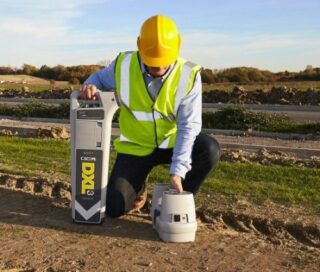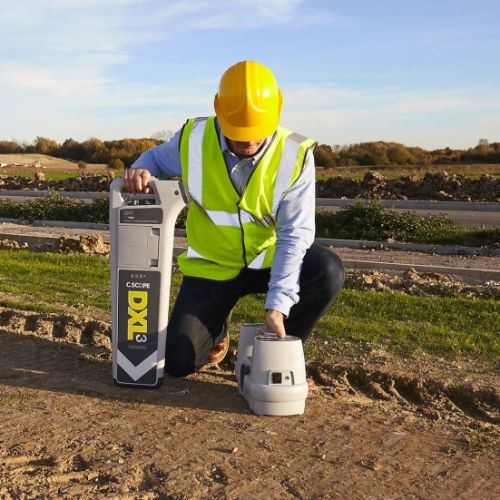
A CAT (Cable Avoidance Tool) and Genny (Signal Generator) are used to identify underground services and detect hidden cables and pipes accurately. Using a CAT and Genny combination for cable location can effectively reduce risks and avoid costly mistakes.
What is a CAT?
A CAT is used to detect buried live power cables by locating the electrical frequency that these cables emit (typically 33KHz). When a cable is located, the ground can then be marked to show the layout of the cable so that when the excavation takes place the cable is not damaged in any way.
What is a Genny?
A Genny is a generator that is used once the buried pipes have been identified. The Genny will be connected to one end of the pipe via a signal, it will then emit a pulse tone down the buried pipe, which can be traced using the cable avoidance tool. This will then take away the risk of damaging the pipework when the excavation begins.
Why do you use a CAT and Genny?
During excavation work, there is a high risk of damaging underground utilities, which can lead to power outages, water leaks and serious injury. Using a CAT and Genny combination during these tasks can significantly improve detection accuracy, keeping teams safe and avoiding unnecessary disruptions.
How to Use a CAT and Genny: A Step-by-Step Guide
1. Preparing for a Survey
Preparation is key when working in these dangerous situations. Both the CAT and Genny need to be fully charged, and those operating the equipment need to be wearing the appropriate PPE. It is best practice to inspect the devices and ensure both are working correctly with no damage to cables, connectors, or batteries. Finally, always check that the units are within the calibration dates to ensure accurate and reliable performance.
2. Operating the CAT: Understanding the Modes
The CAT typically operates in three modes:
- Power Mode: Detects electrical signals from live cables, making it ideal for locating power lines without the Genny.
- Radio Mode: Picks up naturally occurring signals from metallic utilities, which is especially useful in urban environments.
- Genny Mode: Works alongside the Genny, providing enhanced signal tracing and improved detection accuracy.
Using all three modes in combination offers the best results.
3. Using the Genny
There are different methods you can use to ensure the Genny generates a traceable signal:
- The direct connection method – This involves connecting the Genny directly to a metallic utility, with a secondary lead attached to an earth point such as a ground spike.
- The induction method: This method is used when direct access isn’t possible, so the Genny will be placed above the suspected utility path to induce a signal. When working with live cables, a signal clamp can be attached to safely induce a detectable signal without direct electrical contact.
4. Performing a scan with a CAT
Once the Genny is in place, follow these steps to trace underground utilities:
- In Power Mode, scan for active electrical cables.
- In Radio Mode, detect metallic services.
- In Genny Mode, follow the signal path emitted by the Genny for clearer results.
- Hold the CAT perpendicular to the ground and move slowly in a grid pattern to ensure no utilities are missed.
5. Marking and Mapping Detected Services
Once utilities have been located, they need to be clearly marked with either chalk, paint, or flags. This will help to guide excavation teams and ensure any underground utilities are easily visible. Documenting the depth and orientation of each service is also recommended for improved accuracy and future reference.
Best Practices for Accurate Results
- For the most accurate results, these best practices are recommended:
- Regularly calibrate and maintain your CAT and Genny to ensure optimal performance.
- Survey in multiple modes to capture the widest range of signals.
- Sweep from different angles to detect services that may be obscured.
- Use the CAT’s depth estimation feature, where available for better precision.